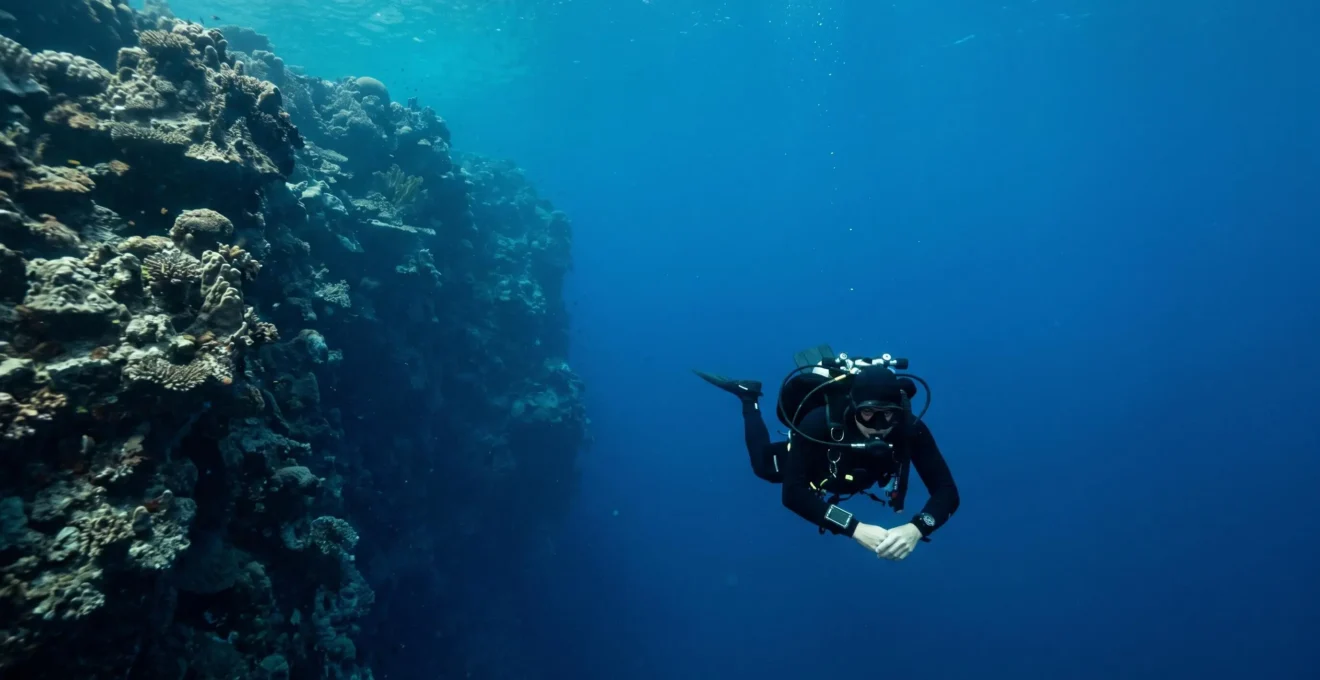
Correctly setting your dive computer for EAN32 is not just about entering ‘32%’; it’s about understanding the algorithmic dialogue between your gas, depth, and physiology to unlock more time underwater safely.
- Failing to switch from default air settings to EAN32 forces a premature end to your dive by miscalculating your true No-Decompression Limit (NDL).
- Forgetting to reset your computer from an EAN32 setting back to air for a subsequent dive creates a critical, un-tracked risk of Decompression Sickness (DCS).
Recommendation: Always personally analyze your tank, input the exact O2 percentage, and confirm your Maximum Operating Depth (MOD) alarms before every single Nitrox dive.
For any certified Nitrox diver, the promise of extended bottom time is the primary draw. You get your EAN32 tank, gear up for a deep wall dive, and descend, only to have your computer command an ascent far sooner than expected. The frustration is palpable. You know you have more time, but the computer—this supposed « brain » of the operation—disagrees. The common advice is simply « set your computer to Nitrox, » but this oversimplification is a trap. It treats the dive computer as a magic black box, ignoring the critical settings that govern its calculations.
The truth is, your computer is not a passive device; it’s engaged in a constant algorithmic dialogue based on the data you provide. Setting it correctly isn’t just about inputting one number. It’s about understanding the ‘why’ behind each parameter: the oxygen percentage (O2%), the partial pressure of oxygen (PPO2) limit, and the conservatism factor. Failing to manage this dialogue properly not only cuts your dives short but, in some cases, can lead to the most insidious risks in recreational diving, such as un-tracked nitrogen loading or CNS oxygen toxicity.
This guide demystifies your dive computer’s Nitrox settings. We will move beyond the superficial and dissect the precise steps and underlying principles for configuring your computer for EAN32. By treating your computer as a transparent and predictable tool, you’ll learn not just how to set it, but how to leverage its full potential to safely maximize your time exploring the vibrant life at the edge of the reef wall.
Summary: Configuring Your Dive Computer for EAN32
- Why Default Air Settings Cut Your Square Profile Dives Short?
- How to Analyze Your Mix Personally Before Touching the Computer?
- CNS Toxicity: What Your Computer Is Warning You About at Depth?
- The Risk of Forgetting to Reset O2 % Before the Next Dive
- How to Set MOD Alarms for Safe Nitrox Diving?
- How to Plan Your Dive with Nitrox to Extend Time at the Cathedral?
- Standard vs Conservative: Which Computer Setting for a Heavy Dive Week?
- How to Manage Nitrogen Loading on a 3-Dive Day Schedule?
Why Default Air Settings Cut Your Square Profile Dives Short?
Your dive computer’s primary job is to track the invisible: the absorption and release of nitrogen in your body’s tissues. Its No-Decompression Limit (NDL) calculation is based on a simple principle: the less inert nitrogen you breathe, the longer you can stay at depth. Standard air contains 79% nitrogen. EAN32, by contrast, contains only 68% nitrogen. When you leave your computer on its default « Air » or « 21% O2 » setting, you are telling its decompression model that you are breathing 79% nitrogen, even when you aren’t. Consequently, it calculates your nitrogen loading at an artificially high rate, shrinking your NDL and forcing you to end your dive prematurely.
The difference is not trivial. For a diver on EAN32, the NDL at 20 metres can be over 60 minutes, whereas on air it’s closer to 45 minutes. By correctly inputting 32% as your oxygen fraction, you inform the algorithm of the lower nitrogen percentage, and it rewards you with a dramatically extended bottom time. This transforms a rushed « down and up » dive into a relaxed exploration. The table below illustrates just how significant this time gain is, especially at typical recreational depths.
| Gas Mix | Depth | NDL (minutes) | Time Gained with EAN32 | Practical Impact |
|---|---|---|---|---|
| Air (21% O2) | 100ft / 30m | ~20 minutes | – | Standard recreational limit |
| EAN32 (32% O2) | 100ft / 30m | ~30 minutes | +10 minutes (50% increase) | Extended photography time, reduced rush |
| Air (21% O2) | 80ft / 24m | ~29 minutes | – | – |
| EAN32 (32% O2) | 80ft / 24m | Significantly longer | Often gas-limited, not NDL-limited | Maximum exploration flexibility |
In essence, using the default air setting on an EAN32 dive is like paying for a full tank of gas but telling your car’s range calculator it only has three-quarters of a tank. You’re leaving valuable, paid-for time on the table.
How to Analyze Your Mix Personally Before Touching the Computer?
The single most critical rule of Nitrox diving is « trust, but verify. » Never assume the O2 percentage marked on a tank is accurate. The only number that matters is the one you personally obtain with an oxygen analyzer. This pre-dive ritual is not a bureaucratic checkbox; it’s the foundational step that ensures the algorithmic dialogue between you and your computer is based on fact, not fiction.
Most nitrox incidents are not caused by equipment failure. More often, problems begin with incorrect assumptions, skipped checks, or labeling mistakes.
– Divesoft Safety Analysis
Performing the analysis yourself is a non-negotiable protocol. It protects you from errors made during the tank filling process or mix-ups on a busy dive boat. The procedure is straightforward and should become an automatic part of your gear setup. The goal is to get a stable, accurate reading before a single setting is touched on your computer.
Follow this four-step process every time you are issued a Nitrox cylinder:
- Calibrate analyzer in open air: Before introducing any gas from the tank, turn on your analyzer and ensure it reads 20.9% (or 21%). This confirms the sensor is calibrated correctly against the baseline of normal air.
- Open tank valve slowly: Just « crack » the valve to allow a gentle, low-flow hiss of gas over the sensor. A high-pressure blast can damage the delicate oxygen sensor and give a false reading.
- Wait for a stable reading: The percentage will fluctuate for a few seconds. Allow 10-30 seconds for the number to stabilize and remain constant. This is your true oxygen percentage.
- Label the tank completely: Using a waterproof tag or tape, write down the analyzed O2 percentage, calculate and write the corresponding Maximum Operating Depth (MOD), add the date, and sign with your initials. This tank is now uniquely yours.
Only after you have completed this physical verification and labeled your tank should you pick up your dive computer to input the analyzed oxygen percentage. This rigid sequence prevents the most common and dangerous of Nitrox diving errors.
CNS Toxicity: What Your Computer Is Warning You About at Depth?
While Nitrox reduces nitrogen risk, it introduces a new one: Central Nervous System (CNS) oxygen toxicity. Oxygen, essential for life, becomes toxic under high partial pressures (PPO2). Your computer’s PPO2 and « CNS Clock » features are designed to manage this specific risk. PPO2 is not the percentage of oxygen, but its effective concentration at depth. A PPO2 of 1.4 ATA (Atmospheres Absolute) is the standard working limit for recreational diving, with 1.6 ATA considered the absolute maximum emergency limit.
Exceeding these limits significantly increases the risk of oxygen toxicity, which can manifest without warning as convulsions, potentially leading to drowning. The danger is real; data from 2,700 closed-circuit oxygen dive exposures showed that symptoms appeared in 3.4% of dives at 1.4 bar and rose to 6.3% at 1.6 bar. Your computer tracks your exposure using a « CNS Clock, » a percentage that accumulates faster as your PPO2 increases. Staying at 1.4 ATA will use up your CNS « allowance » much slower than straying to 1.5 or 1.6 ATA.
This is why setting your computer’s PPO2 alarm (usually defaulting to 1.4 ATA) is so critical. It acts as your primary warning system. The table below, based on NOAA exposure limits, demonstrates the trade-off: a lower PPO2 limit provides a much larger safety margin.
| PPO2 Level (ATA) | Maximum Single Exposure Time (NOAA) | CNS Accumulation Rate | Use Case |
|---|---|---|---|
| 1.2 | 210 minutes | Slowest (most conservative) | Extended shallow dives, final dive of day |
| 1.3 | 180 minutes | Slow | Conservative multi-dive days |
| 1.4 | 150 minutes | Moderate (standard recreational) | Working limit for most recreational diving |
| 1.5 | 120 minutes | Fast | Technical diving, brief exposures only |
| 1.6 | 45 minutes | Fastest (contingency limit) | Emergency contingency only, maximum absolute limit |
Your computer isn’t just nagging you with alarms; it’s actively managing your physiological safety budget. Respecting its PPO2 warnings is as important as watching your air gauge.
The Risk of Forgetting to Reset O2 % Before the Next Dive
Human error is the weakest link in any system, and with Nitrox diving, a simple mistake of forgetfulness can have severe consequences. The most dangerous gas-switching error is not what you might think. Diving EAN32 with your computer set to « Air » is inefficient but safe—it just ends your dive early. The truly hazardous scenario is the reverse: diving on air after a Nitrox dive without resetting your computer. This creates a severe asymmetric risk.
The Dangerous Scenario: EAN32 Morning Dive, Unmodified Computer on Afternoon Air Dive
The most hazardous gas-switching error occurs when a diver uses EAN32 in the morning with the computer set to 32% oxygen, then switches to regular air (21% oxygen) for a deeper afternoon dive but forgets to reset the computer. The computer continues calculating decompression limits based on 32% oxygen while the diver actually breathes 21% oxygen, grossly overestimating the no-decompression limit. This creates severe untracked nitrogen loading and dramatically increases decompression sickness risk on what the computer displays as a ‘safe’ profile. The opposite error—diving EAN32 with computer set to air—is less dangerous but wastes the extended bottom time benefit and forces premature dive termination.
In this situation, your computer believes you are absorbing nitrogen at the lower rate of EAN32, while your body is actually on-gassing nitrogen at the much higher rate of air. The computer will confidently display a long NDL, encouraging you to stay down, while you are silently accumulating a dangerous, untracked nitrogen load. To prevent this, a simple, rigid mental checklist before every single dive is your best defense.
- Confirm Identity: Is this my tank? Check your name or number on the tag. Never grab a cylinder that just « looks like » yours.
- Confirm Gas: Did I personally analyze this tank? Check the label for your own initials and analysis data.
- Confirm Computer: Does my computer’s O2% setting *exactly* match the percentage written on my tank label? Verify this as the very last step before you get in the water.
This three-step confirmation creates a « closed loop » of safety, ensuring the information your computer uses is an exact match for the gas you are about to breathe.
How to Set MOD Alarms for Safe Nitrox Diving?
The Maximum Operating Depth (MOD) is the deepest you can take a specific Nitrox mix before its partial pressure of oxygen (PPO2) exceeds your pre-set safety limit (typically 1.4 ATA). Breaching your MOD, even for a moment, puts you in a zone of increased oxygen toxicity risk. On a deep wall dive, where the seafloor is far below you and visual references can be misleading, it is dangerously easy to drift deeper than intended. Your computer’s MOD alarm is your electronic safety net.
When you set your O2 percentage and your PPO2 limit, the computer automatically calculates the corresponding MOD. For EAN32, the MOD varies based on your chosen safety margin; the MOD for EAN32 is 33.8 meters (111 feet) at a 1.4 ATA working limit, but a more conservative 27.5 meters (90 feet) if you set your PPO2 limit to 1.2 ATA. Your computer will sound a distinct, often loud, audible and visual alarm if you descend to this depth. This is not a suggestion; it is an immediate command to stop your descent and ascend to a shallower depth.
Ignoring or silencing this alarm is a serious breach of safety protocol. Your response must be immediate and automatic. Having a pre-planned response protocol ensures you and your buddy react correctly under pressure.
Action Plan: MOD Alarm Response Protocol
- STOP: Immediately halt your descent and check the depth on your dive computer the moment the MOD alarm sounds. Do not ignore or silence the alarm.
- SIGNAL: Alert your dive buddy with an established hand signal that you have reached your maximum operating depth and must ascend.
- ASCEND SLOWLY: Begin a controlled ascent at a safe rate (no more than 30 feet/9 meters per minute) until the alarm ceases, which typically requires ascending 10-15 feet above your MOD.
- VERIFY: After surfacing, confirm that your computer’s O2% setting matched your tank’s contents, as an incorrect setting can cause false or inaccurate MOD alarms.
Treating the MOD alarm as an unbreakable ceiling is fundamental to safe Nitrox wall diving, allowing you to enjoy the benefits of extended bottom time without compromising your safety.
How to Plan Your Dive with Nitrox to Extend Time at the Cathedral?
Theory is one thing, but practical application is where correct computer setup truly shines. Imagine a common dive objective: photographing a specific feature, like black coral, inside « The Cathedral, » a well-known wall or cave feature at 110 feet (33 meters). This task requires a minimum of five minutes at depth to manage buoyancy, set up lighting, and compose the shot. Here is where the EAN32 advantage, when properly planned, becomes obvious.
Cathedral Dive Plan: Using EAN32 to Achieve a Deep Objective with a Safety Buffer
A dive plan analysis for a 110-foot objective on air (21% O2) reveals an NDL of approximately 13 minutes. This is barely enough time to descend, complete the 5-minute photo task, and ascend, leaving zero buffer for navigation, adjustments, or unexpected issues. The dive becomes a high-stress race against the clock. In contrast, planning the same dive on EAN32 extends the NDL to about 20 minutes. This provides the necessary 5 minutes for the task plus a comfortable 7-minute safety buffer. It transforms a rushed, risky dive into a controlled, enjoyable one. Furthermore, after completing the deep objective, the extended NDL allows for a slow, multi-level ascent up the wall, enabling further exploration at shallower depths where the dive becomes gas-limited, not NDL-limited.
Your dive computer is not just a reactive gauge; it’s a proactive planning tool. Most modern computers have a « Plan » or « Simulation » mode that lets you « pre-dive » your profile before you even get wet. This turns the abstract benefit of Nitrox into a concrete number you can build your plan around.
- Access Plan Mode: On the surface, navigate your computer’s menu to find the « PLAN » or « DIVE SIMULATOR » function.
- Input Planned Depth: Enter your target maximum depth, for example, 33 meters for the Cathedral dive.
- Verify Gas Setting: Double-check that the computer is set to your analyzed EAN32 mix for the simulation.
- Review Calculated NDL: The computer will display the NDL for that specific depth and gas mix. This is your available bottom time for a square profile.
- Set Optional Alarms: Consider setting a custom time alarm for a « turnaround » point (e.g., 5 minutes before your planned NDL) to give yourself an early reminder to begin your ascent.
By using your computer’s planning features, you move from being a passenger on your dive to being the pilot, making informed decisions that maximize both safety and enjoyment.
Standard vs Conservative: Which Computer Setting for a Heavy Dive Week?
For a single dive, the standard settings on your computer are generally sufficient. But during a week-long liveaboard trip with 3-4 dives per day, factors like cumulative nitrogen loading, fatigue, and potential dehydration come into play. This is where your computer’s « Conservative Factor » or « Personal Adjustment » setting becomes a vital tool for managing your physiological capital. Leaving it on the default setting all week is a rookie mistake.
Instead of a static setting, the expert approach is one of progressive conservatism. You start the week with standard settings when you are well-rested and have zero residual nitrogen, and you gradually increase the conservatism as the week progresses and your physiological reserves are depleted. This dynamic strategy maximizes your bottom time early in the trip while prioritizing safety towards the end.
Liveaboard Week Computer Conservatism Strategy
For a typical liveaboard with multiple dives per day, a recommended approach is to adjust conservatism progressively. On days 1-2, a diver who is well-rested can use standard or only slightly conservative settings (e.g., a higher Gradient Factor like 40/85 on a Bühlmann computer). This allows for full exploration while the body is most capable. By mid-week (days 3-4), as cumulative fatigue and nitrogen loading build, it is wise to switch to a moderately conservative setting (e.g., GF 35/75). For the final days of the trip (days 5-7), when fatigue is highest, a conservative or highly conservative setting (e.g., GF 30/70) provides an essential safety buffer to compensate for the body’s reduced off-gassing efficiency.
This strategy treats your body and your computer as a unified system, acknowledging that your ability to handle decompression stress is not constant. It’s the hallmark of a truly thinking diver.
Key Takeaways
- Your computer’s NDL is a direct calculation of the nitrogen percentage you input; an incorrect setting yields an incorrect NDL.
- The risk of forgetting to switch your computer from EAN32 back to Air is far greater than the reverse, leading to dangerous untracked nitrogen loading.
- Progressively increasing your computer’s conservatism setting throughout a multi-day dive trip is a key strategy for managing cumulative fatigue and risk.
How to Manage Nitrogen Loading on a 3-Dive Day Schedule?
Managing a three-dive day is a masterclass in nitrogen and time management. The goal is to maximize the enjoyment of all three dives without accumulating an unsafe level of residual nitrogen. Using EAN32 is a key component, but it must be part of a broader strategy that includes dive profiling and optimizing surface intervals. An intelligent approach can make the difference between an exhilarating day and a day cut short by conservative NDLs on the final dive.
The core principle is to make your deepest dive of the day the first one, when your body is fully rested and has zero residual nitrogen. Subsequent dives should be progressively shallower. This « deepest first » rule is standard practice, but it’s amplified by the strategic use of Nitrox and disciplined surface intervals. As an added benefit, using Nitrox often leads to shorter required surface intervals between dives, which is especially valuable on dive holidays.
Here is a proven strategy for structuring a three-dive day to manage nitrogen loading effectively:
- Dive 1 (Morning): Execute your deepest planned dive first. Use EAN32 to build in a significant safety margin and maximize your time at depth while your body is at its peak performance.
- Surface Interval 1: Maximize this interval to at least two hours if possible. Focus on aggressive hydration with water and electrolytes, and rest in the shade to optimize off-gassing.
- Dive 2 (Midday): Plan a dive to a moderate depth, shallower than the first. Continue using EAN32. Pay attention to your computer’s tissue loading graphs to visualize how your body is handling the nitrogen load.
- Surface Interval 2: Another extended interval of 2+ hours is crucial. Continue hydrating and have a light meal. Avoid alcohol or excessive sun exposure, which can increase decompression stress.
- Dive 3 (Afternoon): This should be a « washout dive. » Plan a significantly shallower and shorter profile (e.g., max 60 feet / 18 meters for 40 minutes). If a richer mix like EAN36 is available, using it can actively promote faster off-gassing of nitrogen from previous dives.
By treating each day as a strategic project rather than a series of disconnected dives, you can use your computer and gas choices to engineer a safer, longer, and more rewarding experience in the water. Start applying these principles on your next trip to take full control of your dives.